Minimal photo editor for local mosaics and precise cropping
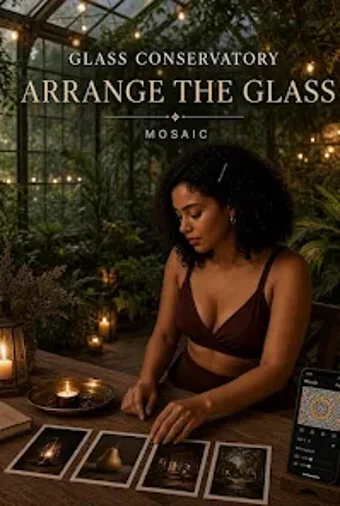
Transforms local photographs into curated mosaics and precisely cropped images using template-driven assembly and draggable framing tools. Glass Conservatory, from Tribe Studio Limited, runs on Android as a lifestyle photo utility and centers on local processing rather than cloud services. Key capabilities include an integrated camera capture path, a dedicated 1:2 cropping ratio, mosaic templates with per-cell image placement, and high-quality JPEG export. It fits mobile photographers and social-media creators who prioritize local editing and simple output workflows.
Focused editing for hands-on mobile photographers
The app concentrates on two core tasks: precision cropping and mosaic construction, which it implements through draggable framing, ratio switching, and a specialized 1:2 aspect ratio for vertical compositions. The interface exposes import from local storage and an integrated camera capture, letting users pick images or shoot in-session. JPEG export produces final files suitable for sharing or posting, keeping every step on the device rather than sending images to external services.
How it connects to your device and camera
The app operates entirely on Android devices and accesses local storage for photo management; it also requires camera capabilities for direct capture features. A device-level camera fallback is present to ensure capture works when live previews fail. Template-based mosaics let you fill individual cells and replace images, so setup depends only on files already stored on the device rather than linked accounts or external libraries.
Daily use and workflow friction points
The Recent gallery stores items in browser-style local storage so you can reopen and continue projects without cloud syncing. On-the-go creators will appreciate quick imports and per-cell positioning inside mosaic templates, while the single-export target, JPEG, keeps output predictable. The app foregoes multi-format exporting, which keeps export behavior simple but limits formats to a single widely supported image type.
Privacy, accessibility, and who adapts fastest
The tool follows a local-first model, keeping photos in device storage and using local Recent memory rather than remote servers; that design suits users who prefer minimal external data transfer. Accessibility details such as screen reader support are not specified in the materials. Casual creators and privacy-conscious photographers adapt fastest, since the workflow avoids account setup and uses device storage for project continuity.
To sum up, use it if you edit locally and assemble visual stories
Glass Conservatory serves mobile photographers who want a compact, device-based way to build mosaics and apply exact crops without involving cloud services. It fits anyone who values local storage, template-driven assembly, and predictable JPEG exports; it is less suitable for users who need multi-format export or documented accessibility options. A quick pro tip: prepare target images in advance to speed mosaic cell placement.